One agent. One mission. One worktree.
As we adopt more AI-assisted development with Copilot, one challenge becomes obvious: multiple agents want to work on the same repository at the same time.
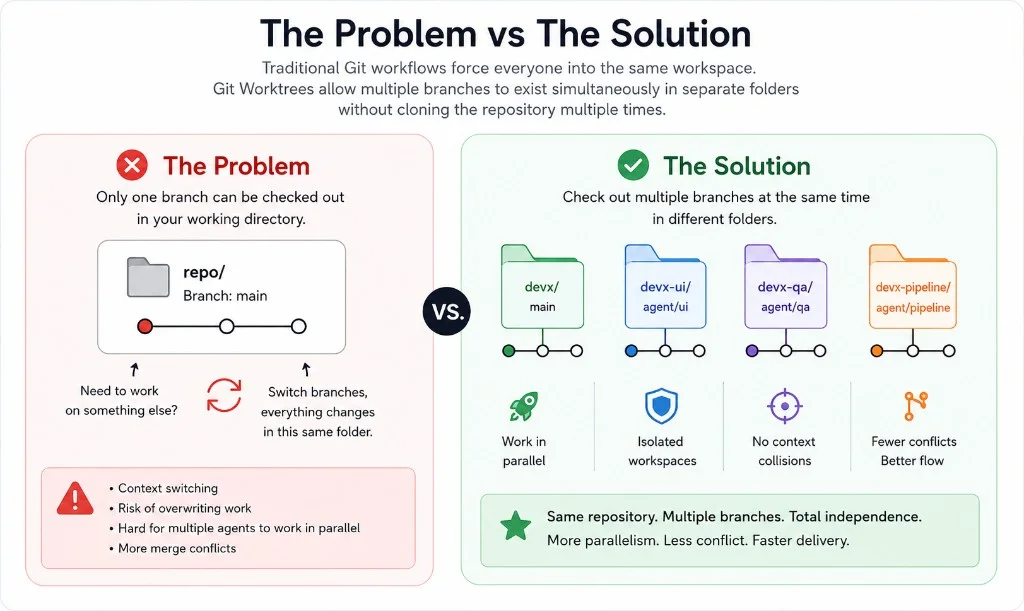
Without a good workflow, agents end up switching branches constantly, overwriting each other's work, polluting context, and creating unnecessary merge conflicts. Git worktrees solve this problem elegantly.
The problem vs the solution
Most developers use branches every day, but few use worktrees. A worktree lets you check out multiple branches from the same repository into separate folders — instead of constantly switching branches in one directory.
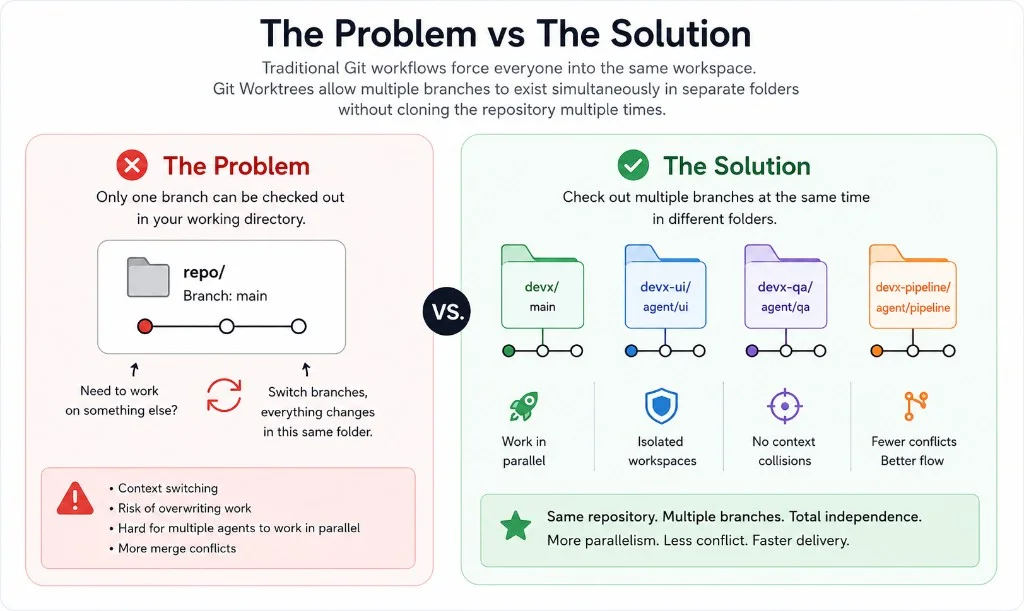
Without worktrees vs with worktrees
Copilot becomes significantly more effective when agents are isolated. Instead of one agent juggling UI, QA, docs, pipeline, and performance in a single checkout, give each agent its own branch, worktree, Copilot window, and mission.
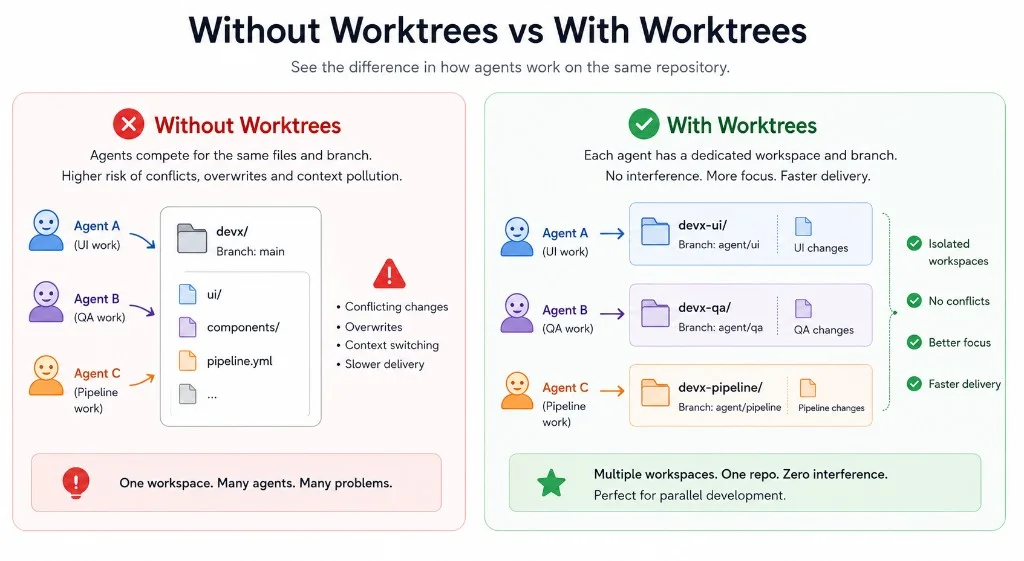
How Git worktrees work
Git exposes different branches from the same repository into separate folders. Same objects, history, and refs — isolated workspaces.
Starting from your repository:
cd ~/repos/devx
git worktree add ../devx-ui -b agent/ui-pass
git worktree add ../devx-qa -b agent/qa-pass
git worktree add ../devx-pipeline -b agent/pipeline-pass
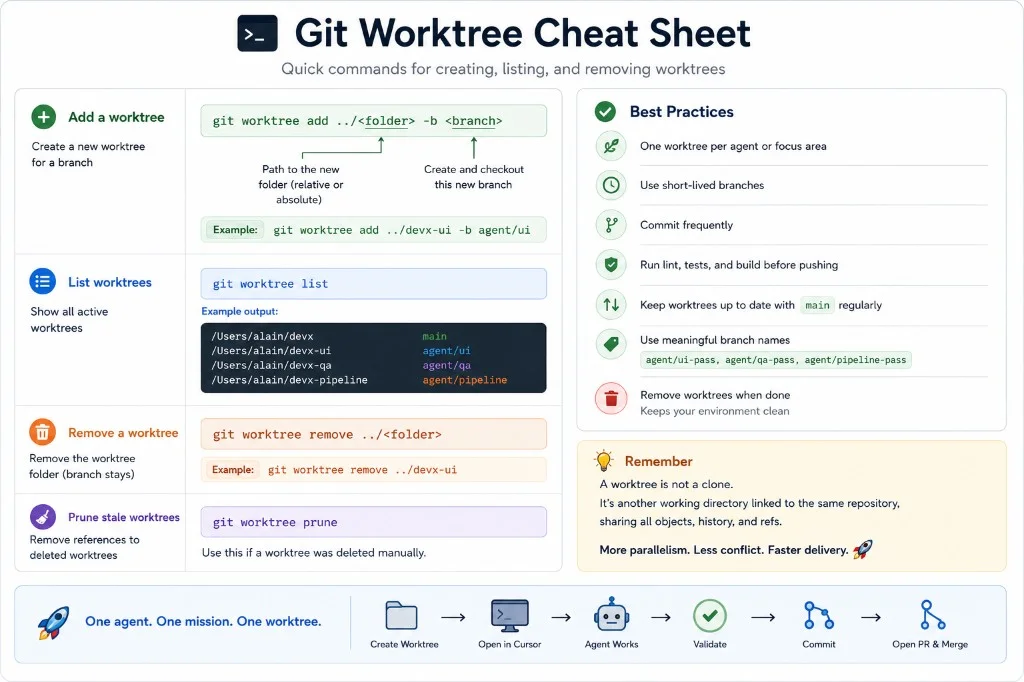
git worktree list
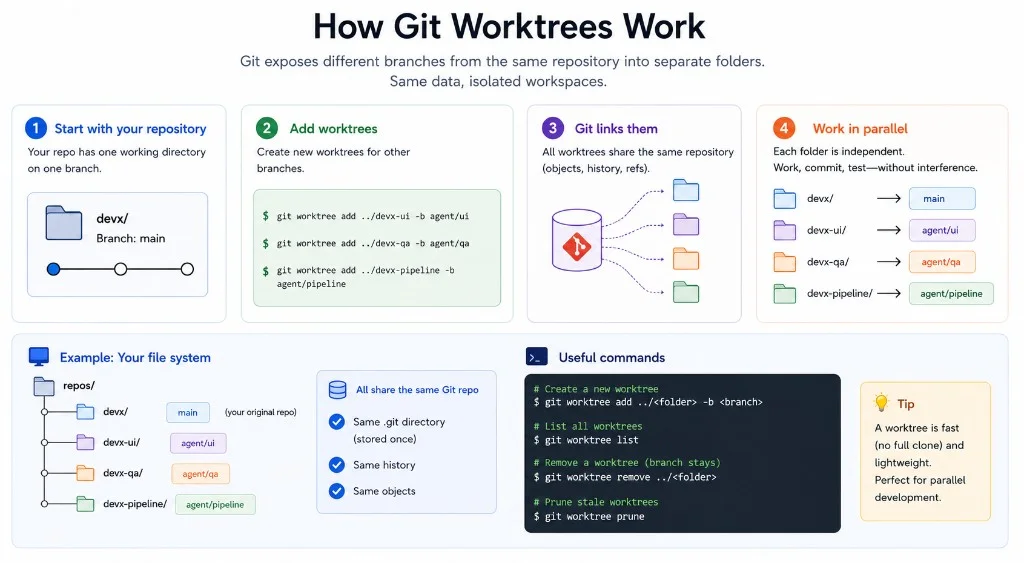
Example output:
/Users/alain/devx             main
/Users/alain/devx-ui          agent/ui-pass
/Users/alain/devx-qa          agent/qa-pass
/Users/alain/devx-pipeline    agent/pipeline-pass
Multi-agent development workflow
For a large improvement pass, assign one focused goal per agent — then validate, commit, and merge independently.
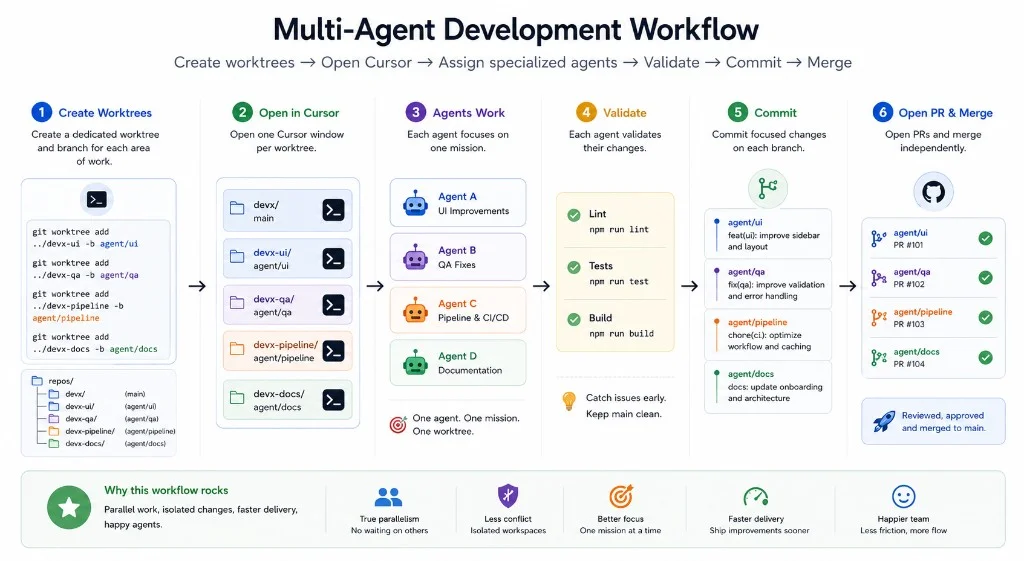
Example prompts per agent:
Agent UI — Improve UI and UX. Run build, lint, tests. Commit changes.
Agent QA — Find bugs. Improve validation. Run build, lint, tests. Commit changes.
Agent Pipeline — Improve CI/CD and GitHub Actions. Run build, lint, tests. Commit changes.
Agent Docs — Improve documentation, labels, and onboarding content. Commit changes.
Validate before pushing:
npm run lint
npm run test
npm run build
Remove a worktree when finished (the branch stays):
git worktree remove ../devx-ui
Git worktree cheat sheet
Why this matters for platform engineering
As AI agents become part of the development workflow, the bottleneck shifts from coding to orchestration. Git worktrees provide a simple mechanism to increase parallelism, reduce merge conflicts, improve agent focus, and accelerate delivery.
This has quickly become one of the most valuable techniques in my Copilot workflow.
One agent. One mission. One worktree.